Examples of more complex calculated variables
Use-case 1: Mapping/recoding a variable
The original input from a numeric variable (e.g. score on a questionnaire) can be recoded in Ledidi to the format used in your analysis.
In this example (The Cerebral Palsy Quality of Life Questionnaire), original scores need to be recoded as follows:
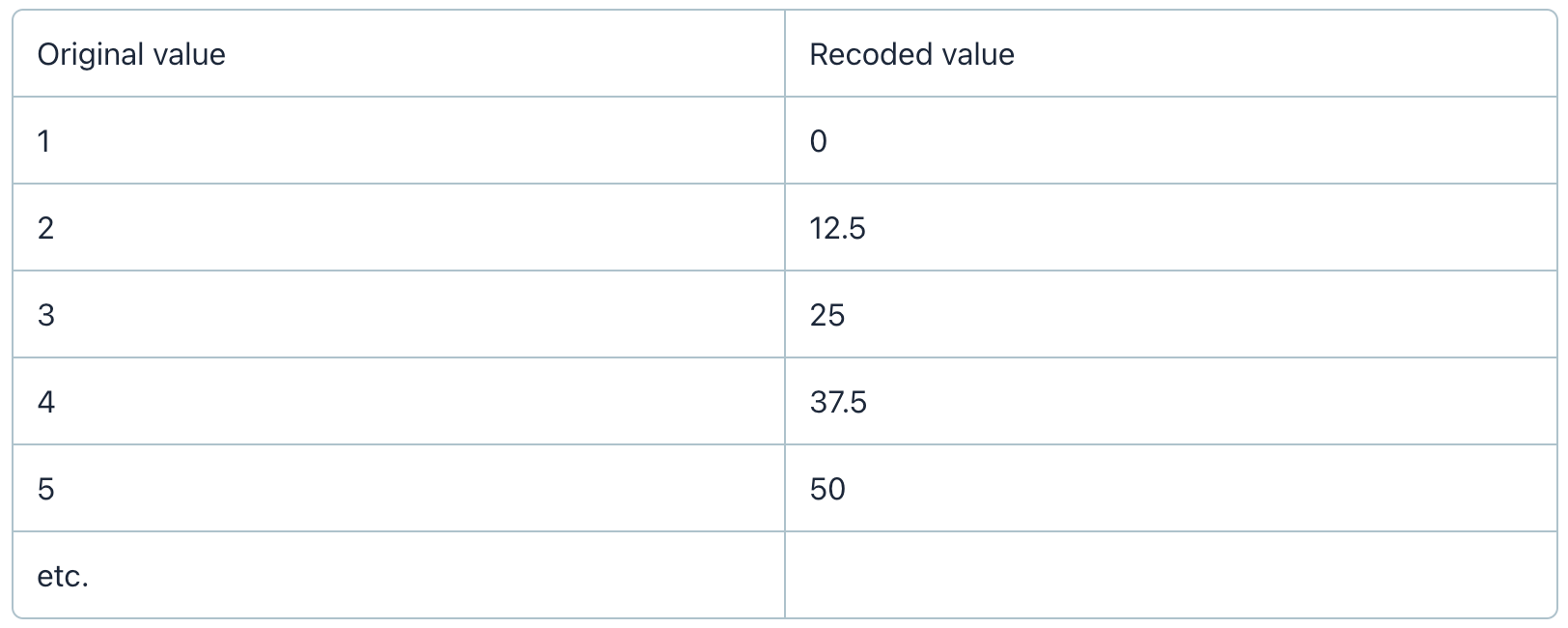
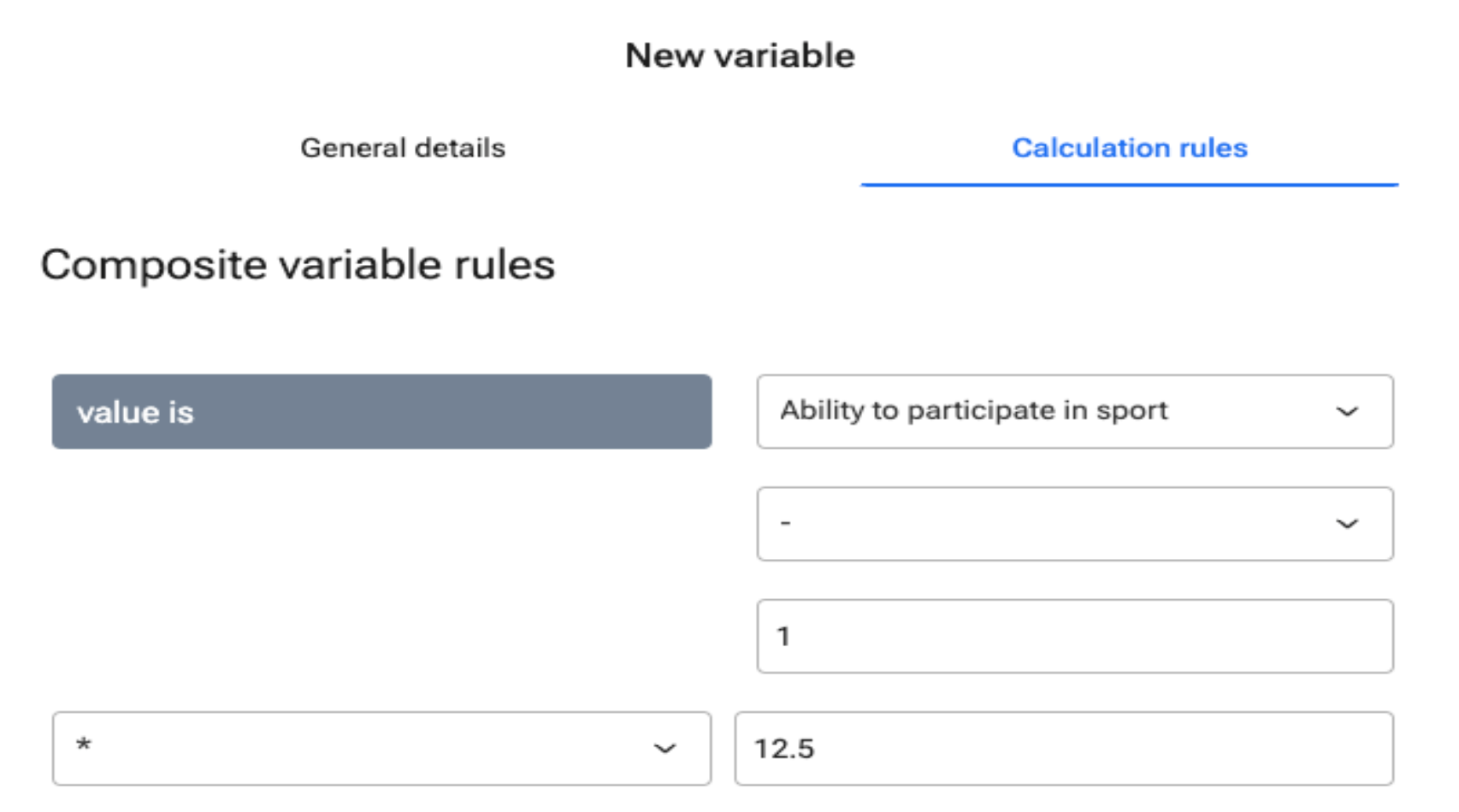
Using the example of the question “How do you think your child feels about their ability to participate in sporting activities?”, the new variable ‘Ability to participate in sport_recoded’ is created by applying the composite rule below.
Notes:
This applies when there is a clear pattern in the recoding formula as per the example above. In this case, the transformed variable = (original variable -1) * 12.5.
The original variable will need to be in numeric format to facilitate applying the formula.
Use-case 2: Creating a calculated variable based on a calculation
In some cases, you want a new calculated variable to be based on a previously calculated variable. In this case, you have two options in Ledidi: a) use one calculated variable including both formulas or b) use two variables.
Using one variable
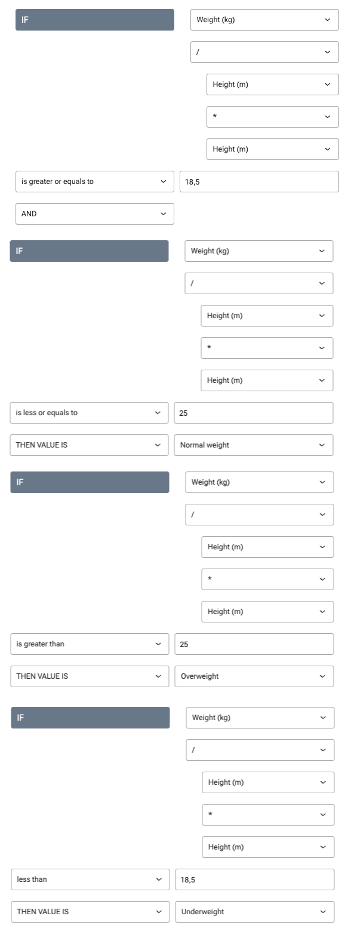
Example 1: Creating weight categories based on BMI.
We would like to create weight categories based on BMI as follows:
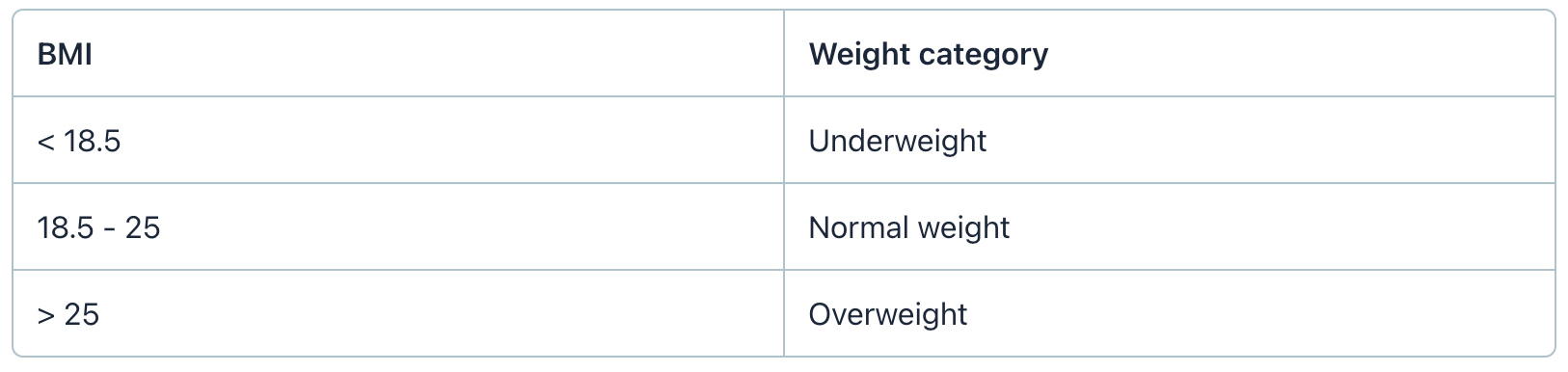
The formula for BMI = height/(weight*weight), making it a calculated variable. To avoid using two variables, you can include the BMI calculation in the “weight category” variable calculation as shown below.
Example 2: Determine whether the percentual change in eGFR over a certain cut-off
We would like to determine whether the percentual change in eGFR (pre vs post surgery) is over or under 25%. The formula for percentual change is ((eGFR post - eGFR pre)/ eGFR pre ) * 100. To avoid using two variables, you can include the change in eGFR-calculation in the “>25 % change in eGFR?” variable calculation as shown below.
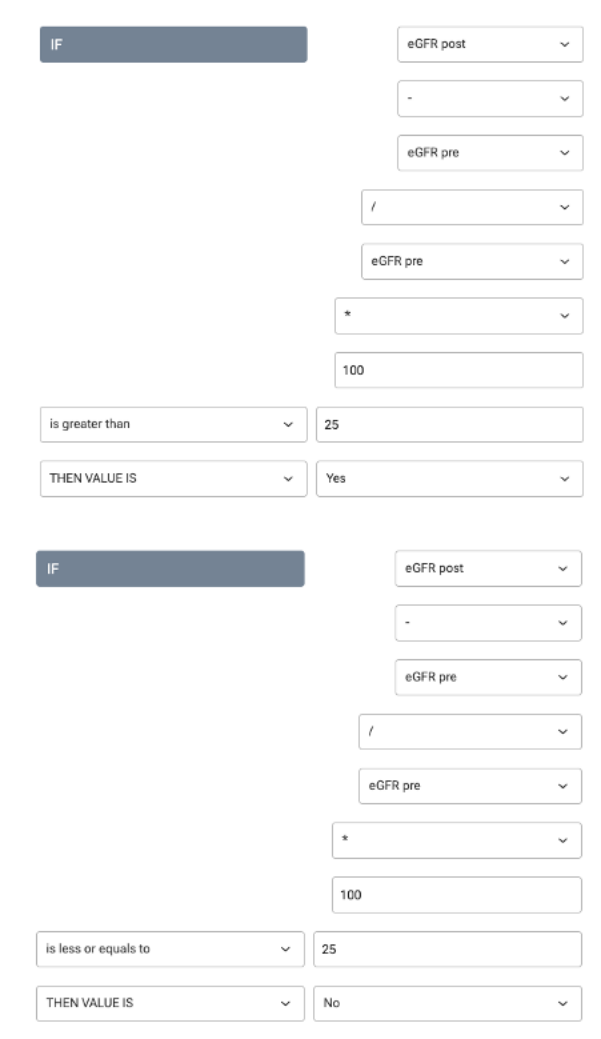
NOTE: The order in which you add a new operation when defining the calculation rules is essential! Using two variables
Example 1: Pack years of cigarettes smoked
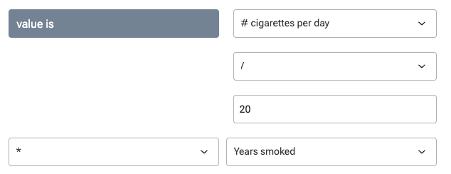
The “pack years” variable is calculated by (# cigarettes per day/ # cigarettes in a pack)* years smoked. In this example, we have the date the participant started smoking and the date they stopped smoking. This means that the “years smoked” variable needed to calculate the “pack years” variable is calculated. In this case, we will create two separate calculated variables.
Step 1: Create the “years smoked calc” calculated variable.
Create two date variables: “ Start date smoking” and “End date smoking”.
Then create a third calculated variable “Years smoked calc” using the formula below.
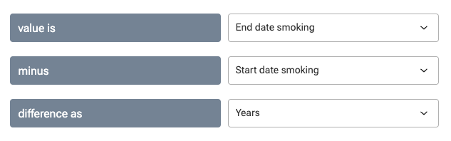
Step 2: Create the “years smoked” variable. Since the “Years smoked calc” variable is a calculated variable, it can not be used in a new calculation. Therefore, we make a new “years smoked” variable, where we will manually enter the calculated result of the “years smoked calc” variable.
Step 3: Create the “pack years” variable.
Example 2: Score with subdivisions (EASI score)
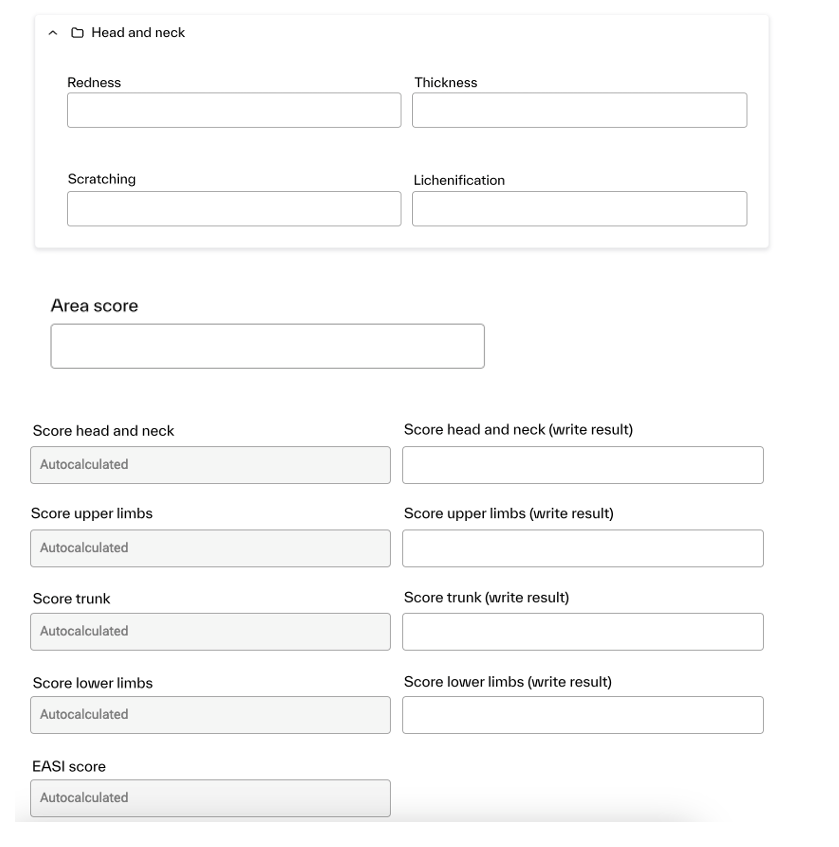
The EASI score (Eczema Area and Severity Index) is calculated by multiplying the scores of four regions by an area score and a multiplier, which is different for each region. Finally, the scores of all four regions are added to obtain the final score (more information can be found here: https://dermnetnz.org/topics/easi-score). This implies the use of a calculated variable within another calculated variable, which is not possible at the moment. The solution is therefore to create both a calculated variable for each region, calculating the region score, and a numerical variable where the score should be put in manually. This numerical variable can then be used to calculate the final EASI score.
The setup of each region score will look like: