
All projects you are involved in are displayed as cards on the dashboard. Click on the project's card to enter the project. You can sort and search for projects, and choose if you only want to display your own projects or projects you are collaborating on. From the dashboard, you also create new projects and edit information on existing projects.
Display projects based on ownership
1. Choose the tab "All Projects" if you want to display both your own (the projects you have created) as well as projects where you are a collaborator (created by other users).
2. If you only want to display the projects you have created, choose the tab "My Projects".
3. If you only want to display the projects you collaborate on, choose the tab "Shared With Me".
Display projects based on the current status
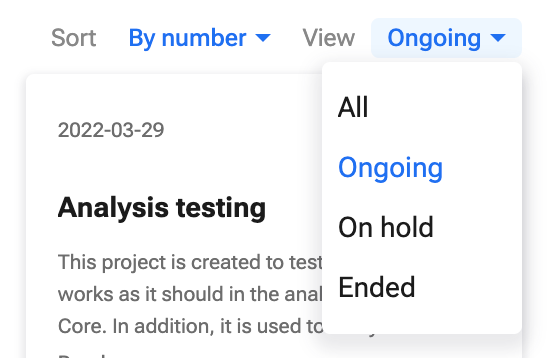
1. To display projects based on current status, click the dropdown menu beside "View" in the upper right corner.
2. Choose if you want to display "All", "Ongoing", "On hold", or "Ended" projects.
Sort projects
You can sort and display your projects by numbers (project numbers), name (alphabetically), or by date (the date the project was created).
Click the dropdown menu beside "Sort" in the upper right-hand corner.
Choose whether to sort by number, by name, or by date.